


Mods for Dmod
3.215.00 Reviews
App Specs
- Version
- 2.5
- Updated On
- License
- Free
- Downloads
- 100,000+
- Developer
- Dumitru Boico
- Categories
- Libraries & Demo
- Platform
- Android
Screenshots
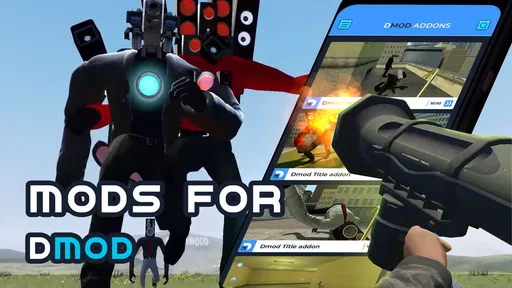
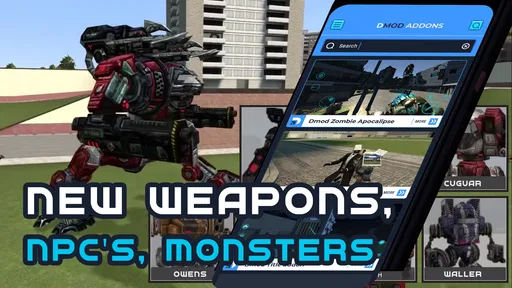
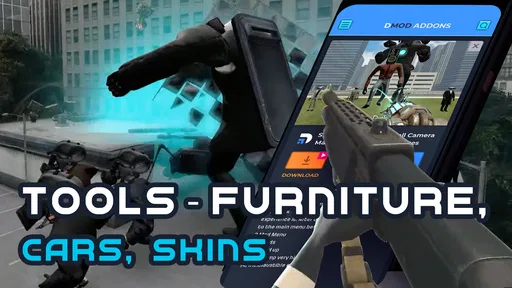
 Analysis by AppCompare
When I look at a mod companion, I care less about promises of endless possibilities and more about whether it helps me find something worth trying without turning a quick gaming break into a troubleshooting session. Mods for Dmod is a free app in the Libraries & Demo category, developed by Dumitru Boico. Its focus is a collection of maps and mods for Dmod, so it makes most sense for players who already want to explore that particular game rather than people seeking a general-purpose mod manager.
What to expect from browsing and loading
The app’s appeal is straightforward: it puts Dmod-related material in one place, giving curious players a starting point for finding a new map or mod. That can be more convenient than searching broadly across unrelated pages, especially when you have only a few minutes and want to choose something for your next session. I would treat it as a discovery tool, though, not assume that every item will suit every version or setup.
For a practical routine, I’d browse before launching the game, pick one item that sounds interesting, and check any available details before trying it. Testing one change at a time makes it easier to tell whether the content works as expected and to identify what to undo if it doesn’t. That small habit is more useful than collecting several downloads at once and then wondering which one caused a problem.
There is a trade-off between convenience and certainty. A focused collection can save time compared with general web searches, but a listing alone does not guarantee that a particular map or mod will fit your preferences or current setup. If you are looking for detailed compatibility explanations or step-by-step modding lessons, a dedicated guide may be a better companion.
When a collection helps—and when it doesn’t
I can see this being useful when I want a change of pace in Dmod but don’t have a specific map in mind. Instead of replaying the same familiar content, I can browse for an idea, decide whether it looks appealing, and make a deliberate choice. It is also a reasonable starting point for a newcomer who wants to see what kinds of community-made material are available before learning more about modding.
For example, if I have a short evening gaming window, I might use the app beforehand to look for one map that matches the mood I’m after. I’d avoid changing several things right before playing, since a limited session is not the best time to diagnose a compatibility snag. Keeping the selection small makes the experience easier to manage and gives me a clearer sense of what I actually enjoyed.
On the other hand, this is not the right choice if you want mods for lots of unrelated games or expect a full desktop-style manager with advanced organizing and troubleshooting tools. Someone who prefers a carefully documented, official content route may be happier sticking with the game’s usual options. The best fit here is a Dmod player who enjoys browsing possibilities and is comfortable making a little room for trial and error.
Worth Reading Before You Choose

EA SPORTS FC Mobile 26 Is a Bigger Football Game, but It Takes Time

Flipboard Shows What News Apps Must Do Beyond the Feed

Switching to Android Auto Means Rethinking Your Driving Routine

Google Calendar Makes a Crowded Week Easier to Manage

Ludo King Makes the Most of the Minutes Between Plans

Baby Panda World Brings Quick Play to Modern Phones, but Its Game Library Feels Busy
How it compares with other ways to find mods
Compared with searching the open web, a game-focused collection can feel more direct: the subject is already narrowed to Dmod, so there is less irrelevant material to sift through. Compared with relying only on familiar in-game content, it offers a reason to explore user-created alternatives. Those are useful differences, but they do not make it a substitute for careful checking; I would still pay attention to what an item is meant to do and whether it suits the way I play.
A useful tip is to treat browsing as selection, not as a promise that every discovery is ready for immediate use. If you are unsure about a particular item, start with one choice, keep track of what you tried, and give yourself time to return to your usual setup if needed. That approach is especially sensible for anyone new to mods, because it separates the fun of exploring from the frustration of changing too many variables at once.
Speed, stability, and device expectations
I would set modest expectations about performance. The app is intended to help find Dmod maps and mods; that does not by itself tell me how quickly every item will load in the game or how smoothly a particular device will handle it. For a fair test, I’d browse and try content in a normal play session rather than judge the app by one unusually busy moment.
If a session feels slower or less stable after trying new content, I would first return to the last known setup and test without the recent change. That simple recovery habit can help distinguish an issue with a particular mod from a broader device or game problem. I would also avoid treating a large collection as a reason to install everything: choosing selectively is easier on both your time and your ability to pinpoint trouble.
The app supports Android 6.0 and later, which gives owners of older compatible devices a possible route to try it, but age alone does not guarantee a smooth experience. How a mod behaves can depend on the game and the device. If your phone is already short on space or struggles with the game itself, I’d be cautious about adding extra content and test only what you genuinely want to play.
What is Mods for Dmod All About?
First things first, let me give you a quick overview. Mods for Dmod is essentially a platform that allows you to download and apply mods to your favorite games. It’s like having a magic wand that lets you tweak game settings, add new features, and even unlock hidden levels. Whether you’re looking to enhance graphics or add new character skins, this app has got your back.
Getting Started with Mods for Dmod
Alright, let’s get into the nitty-gritty of setting it up. Installation is pretty straightforward. You just need to download the app from the official store and follow the on-screen instructions. Once it’s up and running, you’ll be greeted with a user-friendly interface that’s simple to navigate.
Now, here’s a tip from me to you: make sure your game is compatible with the mods you’re looking to install. The app provides a comprehensive list of supported games, so you’re not left in the dark.
Features That Stand Out
One of the things I love about this app is its versatility. You can explore a wide range of mods across different genres. Here are some features that make it shine:
- Customizable Options: You have the freedom to pick and choose mods that suit your style. Whether it’s altering gameplay mechanics or adding new weapons, the possibilities are endless.
- Community Driven: An active community of modders contributes to the app, constantly updating and creating new mods for everyone to enjoy. It’s like being part of a creative hub.
- Regular Updates: The developers are on their toes, ensuring the app stays relevant with regular updates and bug fixes.
What I Enjoyed
Honestly, what sets Mods for Dmod apart is its ease of use. I was able to find and apply mods without any hassle. The search feature is quick and efficient, saving me the headache of endless scrolling. Plus, the app doesn’t hog resources, so it runs smoothly alongside your games.
Another highlight is the community aspect. It’s great to see a platform where gamers from around the world can share their creations and ideas. You’ll find a bunch of creative mods that can give a fresh twist to your gaming experience.
Room for Improvement
While the app is pretty solid, there’s always room for improvement. One thing that could enhance the experience is more detailed guides for first-time users. A little hand-holding goes a long way in helping newbies navigate through the modding process.
Also, while the app supports a wide range of games, expanding this list could attract even more users. More game support means more fun, right?
Final Thoughts
So, is Mods for Dmod worth giving a shot? I’d say absolutely! It’s a fantastic tool for gamers looking to add a personal touch to their gaming adventures. The app is robust, easy to use, and backed by a great community. Whether you’re a seasoned modder or a curious beginner, there’s something here for everyone.
There are a few practical details worth weighing before you install it. The app is rated Everyone and has passed 100K+ installs, while its average rating is 3.2 from 562 ratings. That mixed score suggests I’d approach it with realistic expectations: it may be useful for the right Dmod player, but it is not a guarantee that every browsing or modding experience will be friction-free. It was released on September 7, 2023, and its current version is 2.2.
The app itself is free, with in-app purchases listed at $19.99 per item. I’d check what an individual purchase covers before paying, and start with the free experience to see whether the collection matches what you want. That is a sensible choice for someone who is only curious; a committed player who finds content they genuinely plan to use may judge the value differently.
If you are deciding whether to keep it, ask yourself a simple question: do you want a focused place to explore Dmod maps and mods, or do you need a broader tool with detailed support and organization? For the first need, this app is worth a look. For the second, another resource may be a better fit. My recommendation is to browse selectively, test one item at a time, and keep your expectations tied to what you actually want from Dmod.
If you’re ready to spice up your gameplay, head over to the download link and give it a whirl. Happy modding!
Pros
- Offers a wide variety of mods.
- User-friendly interface.
- Regular updates with new content.
- Enhances game customization.
- Community-driven support.
Cons
- Some mods may cause instability.
- Requires a strong internet connection.
- In-app ads can be intrusive.
- Limited support for older devices.
- Occasional bugs in some mods.
FAQs for Mods for Dmod
What is Mods for Dmod and how does it work?
Mods for Dmod is an app that enhances the gaming experience by allowing users to customize and modify the features of the Dmod game. It provides a range of mods that can be integrated seamlessly into the game, offering new textures, characters, and gameplay mechanics. Users can easily install these mods to personalize their gaming experience.
Is Mods for Dmod safe to use?
Yes, Mods for Dmod is safe to use as long as you download it from a trusted source, like our website. The app is designed to work without interfering with your device's security. However, always ensure that your device's security settings are up-to-date and be cautious of downloading mods from unknown sources.
Do I need a rooted device to use Mods for Dmod?
No, you do not need a rooted device to use Mods for Dmod. The app is designed to work on standard Android and iOS devices. It simplifies the process of installing mods, allowing users to enhance their gaming experience without needing to modify their device's operating system.
What are the system requirements for Mods for Dmod?
Mods for Dmod requires a device running Android 5.0 or higher, or iOS 11.0 or later. It’s optimized for smooth performance on both smartphones and tablets. Ensure you have sufficient storage space and a stable internet connection to download and install mods effectively.
Can I uninstall a mod if I don't like it?
Yes, you can easily uninstall a mod if it doesn’t meet your expectations. Mods for Dmod provides a straightforward interface that allows you to manage all installed mods. Simply navigate to the mod management section, select the mod you wish to remove, and follow the prompts to uninstall it.


